Modern Etsy Shop Banner Templates for a Professional Storefront
Why Your Shop's First Impression Matters More Than You Think
Think of your Etsy shop banner as the digital equivalent of a physical storefront window. It's the very first thing a potential customer sees, and within seconds, they form an opinion about your brand's quality, style, and professionalism. A pixelated, poorly designed, or generic banner can subconsciously signal that your products might be of lower quality, even if they're exquisite. On the other hand, a clean, cohesive, and thoughtfully designed banner immediately builds trust and sets the stage for a positive shopping experience. It tells visitors, "I care about my craft, and I've invested in presenting it properly." This is where having the right design assets becomes crucial, not just for aesthetics, but for building a credible brand identity from the ground up.
Unpacking the Modern Etsy Shop Banner Template Kit
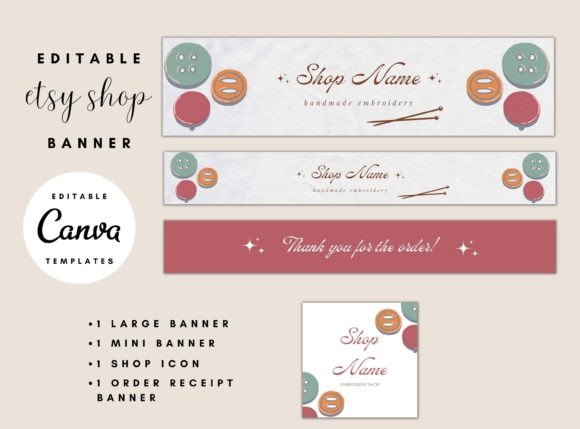
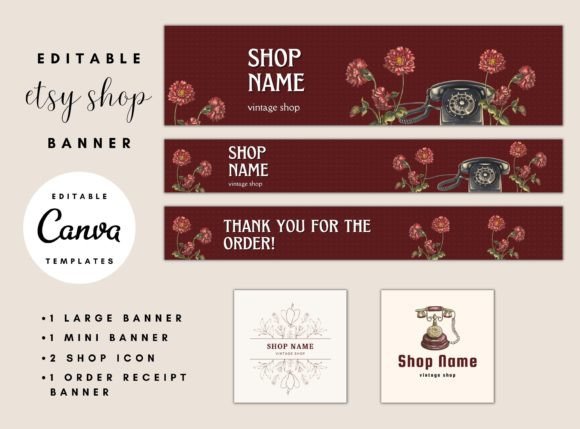
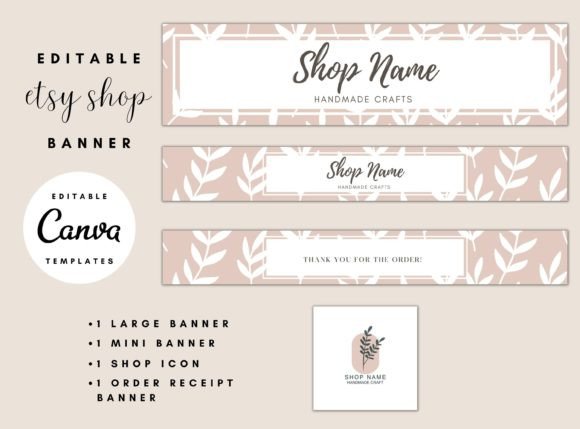
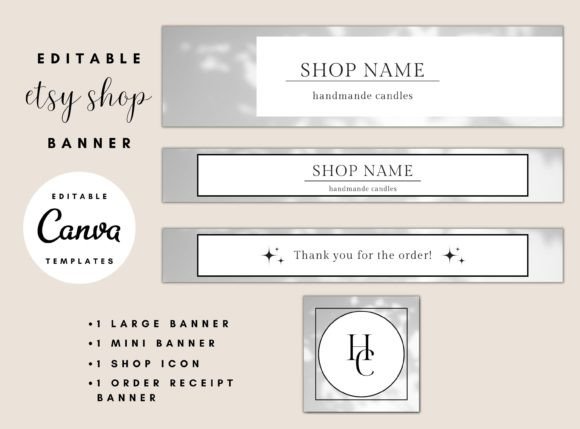
So, what exactly is this package? At its core, it's a curated set of editable Canva templates designed specifically for the Etsy platform. It's not just a single banner; it's a complete kit to ensure visual consistency across every touchpoint of your shop. The package includes a Large Banner (3360 x 840 px) that sits prominently at the top of your shop page, a Mini Banner (2400 x 320 px) for a more streamlined look, a perfectly sized Shop Icon (500 x 500 px) that acts as your profile picture, and an Order Receipt Banner (2400 x 320 px) that adds a professional touch to the customer's purchase confirmation. The visual style leans towards modern, clean aesthetics—think minimalist layouts, balanced use of space, and contemporary typography that feels fresh yet timeless. It's a flexible foundation, not a rigid design, allowing your unique products to remain the star of the show.
Where These Templates Shine: Beyond Just the Banner
The true value of this kit extends far beyond the initial setup. Imagine launching a new product line. You can quickly update your large banner with new imagery and text to reflect the launch, maintaining a dynamic and current storefront. The mini banner is perfect for announcing a seasonal sale or a shop-wide discount without overwhelming the main visual. Your shop icon, often overlooked, is critical for recognition in search results, favorites lists, and social media shares. A crisp, well-designed icon makes your shop easily identifiable. The order receipt banner is a subtle but powerful branding touch. It reinforces your shop's identity at the moment of purchase and can even be used to gently remind customers of your social media handles or a discount code for their next order. This level of consistency in your brand identity is what separates amateur shops from established, professional businesses.
Making the Kit Work for Your Specific Brand
Getting started is straightforward, but the magic lies in customization. After purchasing, you'll download a PDF with a link to access the templates in Canva—a user-friendly, browser-based design tool. This is where you inject your brand's personality. Don't just swap out the placeholder text with your shop name. Consider your brand's color palette. If you sell rustic, handmade goods, you might opt for earthy tones and a serif font or a handwritten font for a personal touch. If your products are sleek and modern, a sans serif font with bold, clean lines would be more appropriate. The templates provide the structure; you provide the soul. Use high-quality images of your products or lifestyle shots that evoke the feeling you want customers to associate with your brand. Pay attention to visual hierarchy—make sure your shop name is legible and any call-to-action is clear.
Practical Tips for Evaluation and Pairing
Before you dive in, take a moment to evaluate the template's fit. Does the layout complement your product photography? If your items are detailed and intricate, a simpler banner with ample negative space might work best to avoid visual clutter. If your products are minimalist, the banner's design elements can be slightly more pronounced. When it comes to fonts, the templates will likely come with suggested pairings, but feel free to experiment. A common and effective strategy is to pair a strong display font for your shop name with a highly readable sans serif font for any secondary text. Canva offers a vast library, so you can test different font pairings directly within the template to see what resonates. Always preview your design at the actual pixel dimensions to check for readability, especially on mobile devices where most Etsy browsing happens.
The Real-World Impact on Your Shop's Performance
Investing in professional design assets like this template kit isn't an expense; it's an investment in conversion. A polished storefront reduces bounce rates. Customers are more likely to browse a shop that looks put-together. It enhances brand recognition—when someone sees your icon or banner in a search result or on social media, they'll immediately connect it with the quality they've come to expect. This builds a loyal customer base. Furthermore, the time you save by using pre-designed templates is invaluable. Instead of struggling with design software from scratch, you can have a professional-looking shop up and running in an afternoon, freeing you up to focus on what you do best: creating your products and serving your customers. In the crowded marketplace of Etsy, that professional edge is what helps you stand out, build trust, and ultimately, drive sales.